Weekly view
All seven days with their tasks, times and categories.
Spread your tasks across the days of the week, see them in columns or on a Kanban board, and check at the end of the week what you got done. Free.
A day is too short to get organised and a month is too long. The week is the sweet spot: you can spread the work, see the busy days coming and keep room for the unexpected.
With a digital weekly planner you can drag tasks from one day to another, see the progress of each one, and keep the “this week, no specific day” tasks apart so they don’t get forgotten.
Different ways to look at the same week.
All seven days with their tasks, times and categories.
Tasks in to-do, in-progress and done columns.
What you did this week and what’s left for the next.
Write things down for “this week” without picking a day.
Helps you find free slots in your week for pending tasks.
Move a task to another day by dragging it on the calendar.
A simple routine for Sunday evening or Monday morning.
Write down everything you need to do this week, in any order.
Assign each task to a day, starting with the ones that have a deadline.
Tick off what’s done and move what’s left.
Real screenshots of Calendapt.
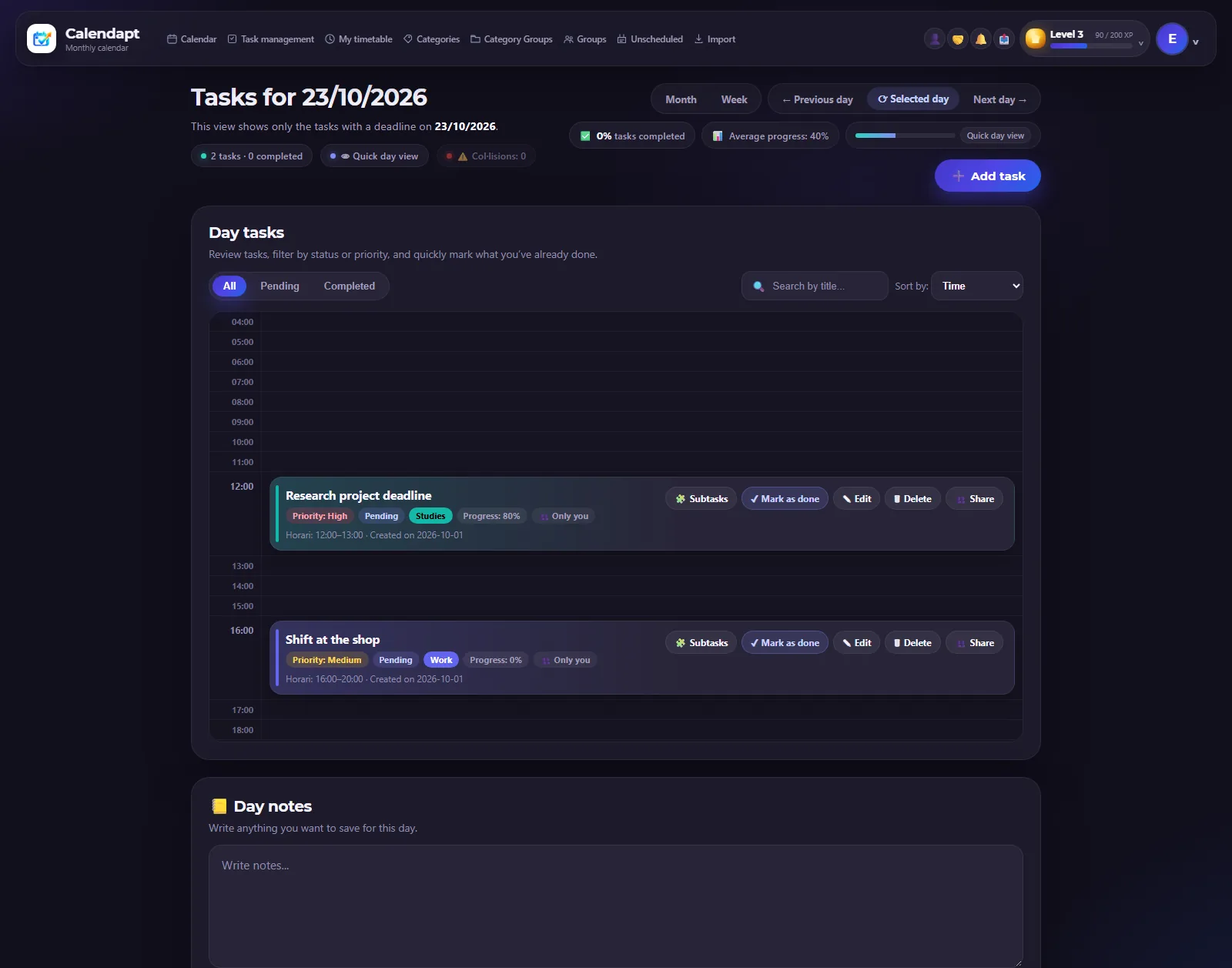
Your tasks and activities for one day.
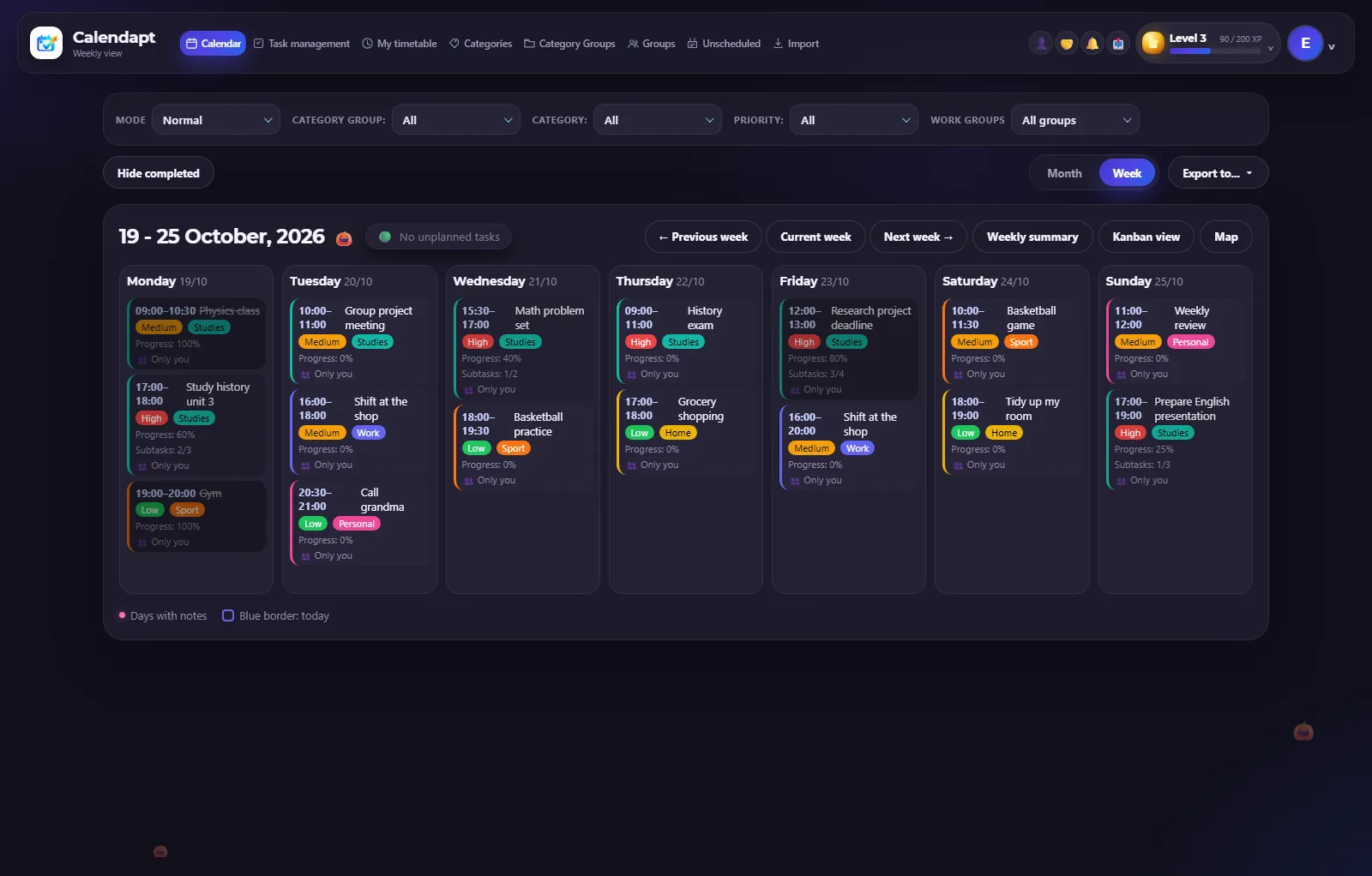
Your whole week at a glance.
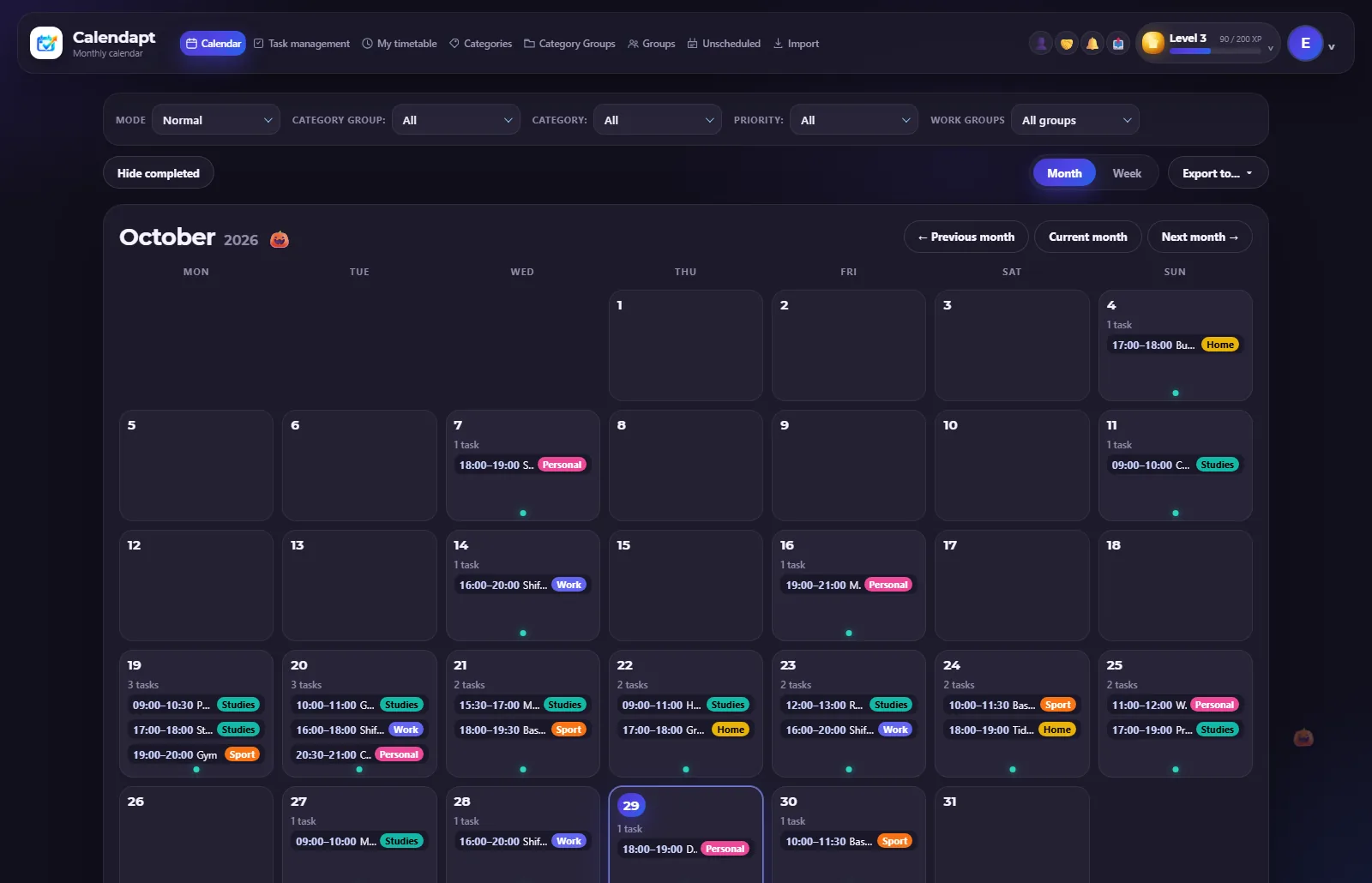
An overview of the month.
Yes. The weekly view, the Kanban board and the weekly summary are all free.
You can export your plan to PDF from the calendar.
Yes. With categories you can keep work, studies, home and anything else apart.
Create a free account and organise your week in ten minutes.