Smart categories
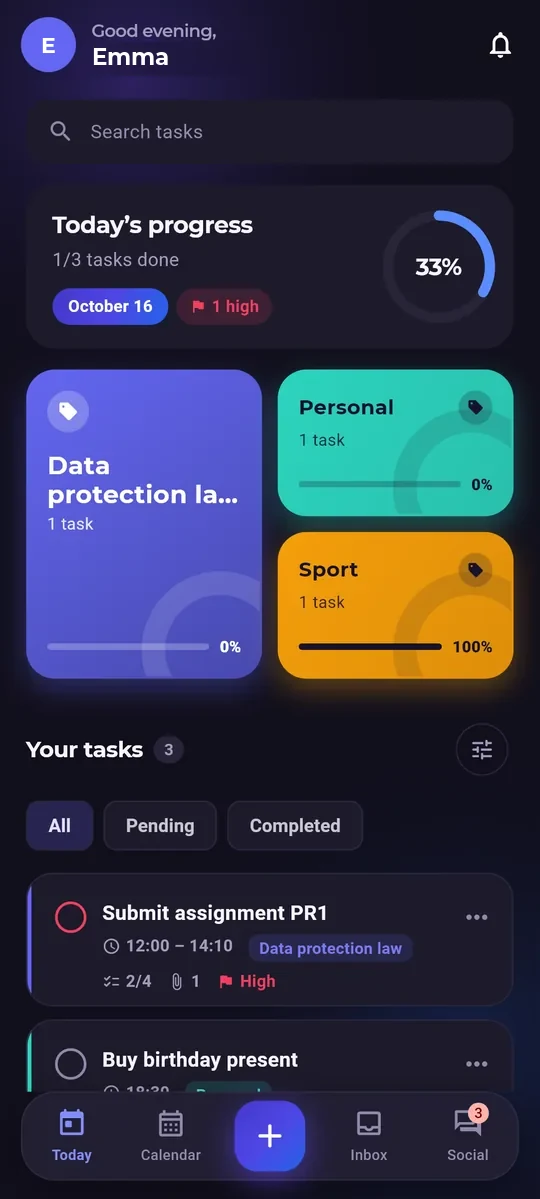
Organize by areas with custom colors. Identify tasks visually and filter in one click.
Organize your daily work with daily, weekly and monthly views, visual progress and color-coded categories
Everything you need to transform how you plan and execute your tasks
Organize by areas with custom colors. Identify tasks visually and filter in one click.
Updated percentage, priority and status. See exactly how you’re doing on each task.
Add friends, send requests and chat directly inside the platform. Organization can be social too.
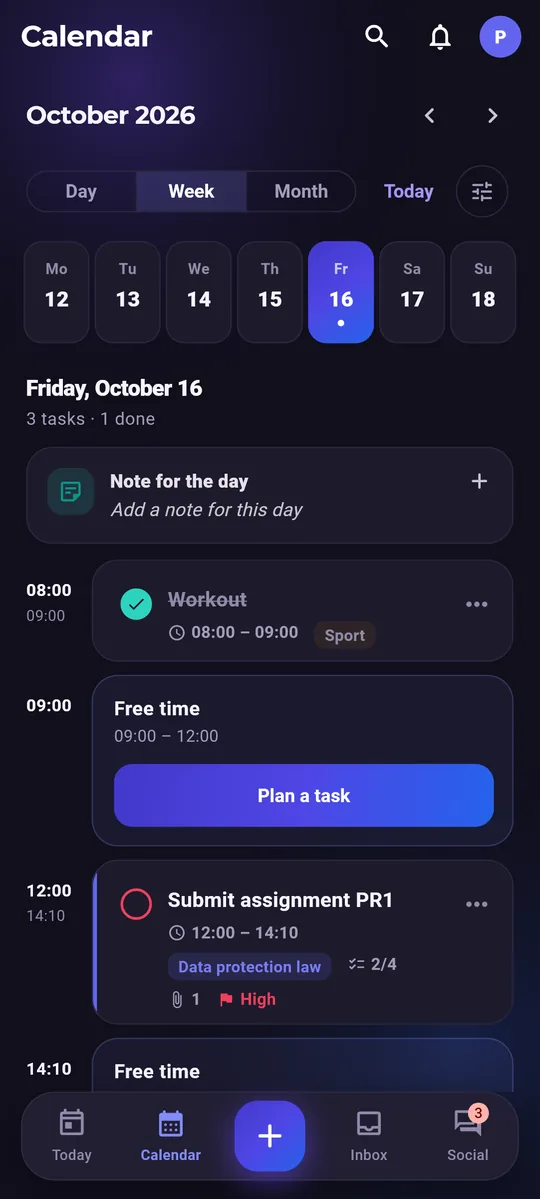
Switch between daily, weekly and monthly views. Each designed for a different purpose.
Generate your weekly plan as a PDF to print or share with anyone.
An optimized interface that responds instantly. No fuss, just results.
Real screenshots of the platform. Click to enlarge any image.
One tool for work, study and everyday life.
Exams, deadlines and class timetables neatly organised, with reminders so nothing slips.
Shared tasks, owners, progress and chat to stay coordinated.
Errands, sport, appointments and ideas in your inbox, all in one colourful place.
Everything you need to know about Calendapt
For anyone who wants to manage tasks and dates visually: students tracking courses, professionals juggling projects, freelancers, or anyone who wants to organize daily life better.
Yes, fully. The design is 100% responsive and adapts perfectly to phones, tablets and computers. It also includes a sticky button on mobile for quick access.
Calendapt combines calendar + tasks + progress (%) + color categories + multiple views + chat. It’s not just visualization — it’s a complete execution tool with real progress tracking.
Yes! You can export your weekly plan to PDF to print or share. It’s perfect for keeping a physical copy or sending it by email.
You can send friend requests to other Calendapt users. Once accepted, you can chat directly inside the platform to coordinate and share plans.
Create your free account in a minute and take your day to the web and your phone.
Questions, suggestions, or found an issue? Click to send us a message.
Fill out the form and we’ll receive it by email. We’ll reply as soon as we can.